Clueso MCP: turn a rough recording into a product demo and SOP
Connect Claude to the editor, structure the scenes and check the voiceover and written guide before export.

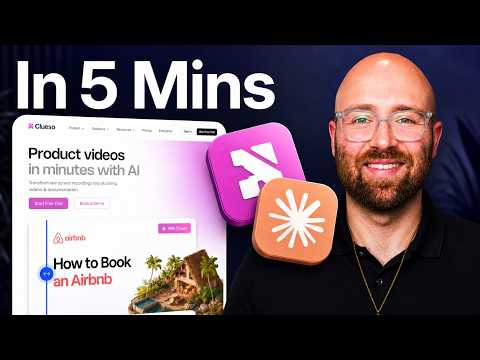 Watch the original video ↗
Prepare the recording and connection
Luke uses a real walkthrough of his YouTube Assistant. Clueso supplies the editing workflow; Claude sends instructions through MCP. The original description includes a promotional Clueso link and coupon.
- Open the exact Clueso MCP setup guide linked with the video and connect the client you use.
- Choose a recording with a clear task, beginning and outcome.
- Attach it and define the audience, product names and parts that must remain accurate.
Direct an editable first cut
The demonstration asks for structured scenes, titles, zooms, captions, music and voiceover. A detailed request still needs an inspection of the result.
- Ask for a scene sequence around the actual actions in the recording.
- Apply the intended Brand Kit and inspect the text, zooms and captions.
- Listen for the voiceover: Luke has to generate a missing voice track rather than accepting the first draft as finished.
Make the guide and second version agree
The video creates a companion SOP and a second marketing cut. These outputs should describe the same product without hiding the extra editing work.
- Generate the written SOP and compare every step with the recording.
- Request screenshots where a step needs visual context.
- Use a Clueprint for the next version, then review its pacing and trim the unwanted section.
- Open the exported video and SOP, checking names, actions and the ending in both.
Adapt this brief
Turn this product walkthrough into an editable demo for [audience]. Preserve the actual product names and action order. Plan clear scenes, captions and purposeful zooms. Check that the voiceover exists, then produce a matching SOP whose steps agree with the recording. Return the draft for review.
The takeaway
MCP makes much of the edit prompt-driven. In this example voiceover, screenshots and trimming still require follow-up work.
About this article and its sources
Written companion prepared 31 October 2026 from this exact published video description and, where present, its chapter sequence. The checklists and sample briefs are editorial adaptations, not quotations from a reviewed transcript. Reported results belong to the original video; the full final cut was not independently transcribed or watched for this article, and the product was not retested. Use the retained original resources for installation details, later interface changes and current offer terms.