Plan AI video movement in Blender before generating it
Create a simple motion reference, inspect the blocking and compare the same brief with and without that guide.

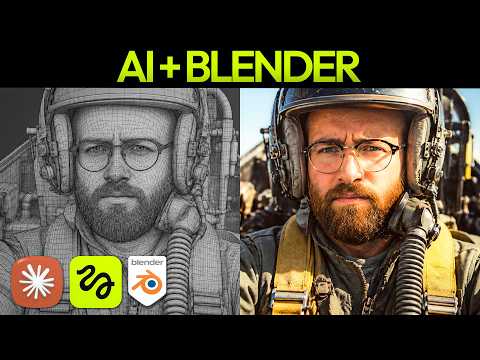 Watch the original video ↗
Connect the three-part workflow
Thanks to Higgsfield for sponsoring this video.
The recording uses Claude, Higgsfield Bridge and Blender. Luke approaches it as a beginner, with a 30-second fight-scene previsualisation.
- Install Blender and complete the Bridge setup linked from the original video.
- Check the connection with a small scene before attempting the full sequence.
- Describe the characters’ positions, action and intended camera movement in a simple brief.
Approve the blocking first
The low-detail scene is for movement and composition, not final visual quality.
- Build the previsualisation and watch the first camera move.
- Revise the framing and timing until the action is readable.
- Render the motion reference, then create character and location references for the visual treatment.
- Combine the blocking guide and those references in the Higgsfield video prompt.
Inspect what the reference changed
The video compares the result with a generation using the same prompt but without the 3D motion reference.
- Compare planned and generated camera angles, action timing and character consistency.
- Run the comparison only if it helps answer a specific production question.
- Keep useful scene and character elements for later shots, then recheck each result rather than assuming consistency is guaranteed.
The takeaway
Plan the expensive part before generating final footage. The example shows a workflow comparison, not a guaranteed saving for every scene.
About this article and its sources
Written follow-along guide prepared 31 October 2026 from this exact published video’s description and chapter sequence. The checklists are editorial adaptations, not verbatim transcript quotations. Demonstrated results are attributed to the video; the full final video was not independently transcribed or watched for this article, and the product was not retested. For installation commands, later interface changes and current offers, use the original resources linked here.