One listing photo into a reusable Lovart campaign
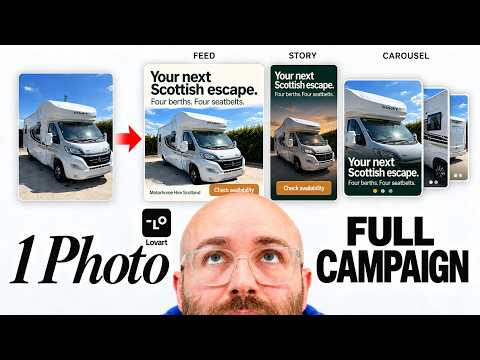
Build a campaign kit, refine the first set, then reuse the instructions on a second property.

 Watch the original video ↗
Prepare the listing brief
Thanks to Lovart for sponsoring this video.
Luke starts with a real motorhome listing and later tries a fictional holiday property. The reusable part is the campaign method; property details must come from each new brief.
- Collect the listing photo, confirmed facilities, location and any approved offer.
- Specify feed ads, stories and carousels as separate deliverables.
- Keep altered backgrounds and example copy marked as concepts until checked.
Build and refine the first campaign
Open the Stay & Escape Campaign Kit linked with this video. Use the first output to decide what the Skill needs to preserve.
- Generate the campaign from the listing. Compare every image against the source photo.
- Adjust colours, fonts and editable text before making more versions.
- Update the Skill to ask for three distinct creative variations rather than three cosmetic duplicates.
Test that the Skill travels
A new project is the test of whether the saved workflow is reusable.
- Start a fresh project with a different property and its own verified details.
- Run the revised Skill and check that old names, claims and images have not carried over.
- Keep the instructions that worked; correct the Skill itself when the same mistake repeats.
The takeaway
Approve the facts and visual edits before using a campaign commercially. These examples demonstrate creative production, not advertising performance.
About this article and its sources
Written follow-along guide prepared 31 October 2026 from this exact published video’s description and chapter sequence. The checklists are editorial adaptations, not verbatim transcript quotations. Demonstrated results are attributed to the video; the full final video was not independently transcribed or watched for this article, and the product was not retested. For installation commands, later interface changes and current offers, use the original resources linked here.